Start with the person and the task
There is no single workstation position that suits everyone. People differ in height, reach, mobility and the postures they find comfortable. The same person may also need a different setup for typing, reading, drawing or joining a video call. Instead of aiming for one “correct” arrangement, make it easy to move the main parts of the workstation and ask each user what helps them work.
Before buying equipment, notice which tasks take the most time and which items must be within easy reach. A desk used mainly for laptop work may need an external keyboard and a way to raise the screen. A station used for paperwork may need clear space beside the computer. If several people share a workstation, choose adjustments they can make without tools or help.
Give the work surface room to adapt
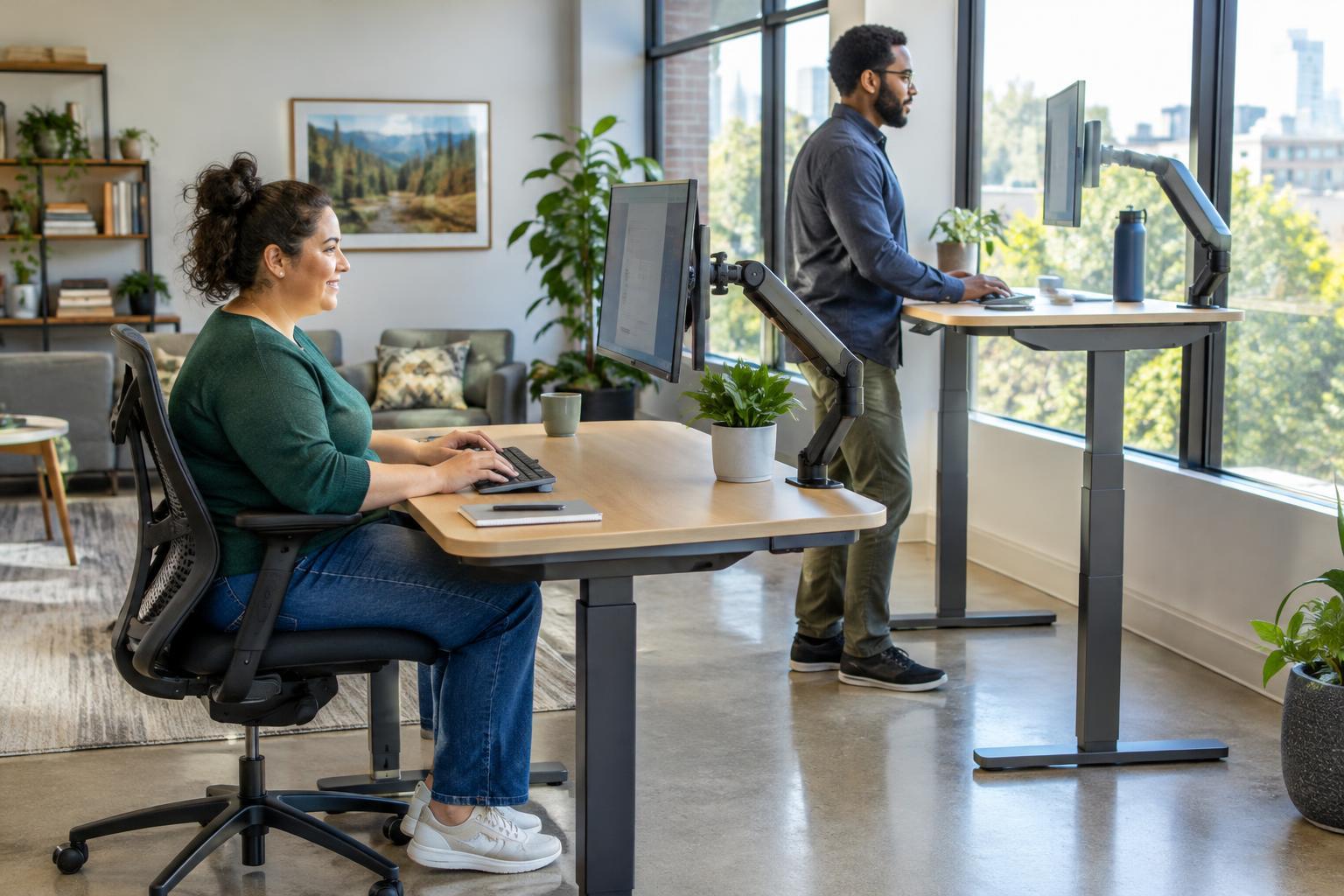
An adjustable-height desk can support seated work, standing work and some mobility devices, but its height range is only part of the picture. Check that there is usable space beneath it for knees, legs and feet. Avoid placing drawers, crossbars, bins or cable bundles where they block that space. Make sure the desk can move without hitting shelves, window ledges or other furniture.
Not everyone can or wants to stand while working. A height-adjustable surface should offer a comfortable seated option, not make standing the default. For someone using a chair, a useful starting point is a surface height that lets the arms rest near the body while the hands reach the work without raised shoulders. Foot support may help when a chair needs to be raised to meet a fixed surface. People should be free to vary their position rather than hold one posture all day.
Arrange screens and tools for easy reach
Place the screen where its text can be seen without leaning forward or twisting the neck. A monitor arm or stable riser can make changes easier, especially at a shared desk. The best screen distance depends on the display, text size and the person’s vision, so check it while doing real work. Keep the keyboard, mouse, trackball or other input device close enough that reaching for it does not require a sustained stretch.
Leave space to move tools to either side. This matters for left-handed users and for anyone who prefers to switch hands or use an alternative device. Frequently used supplies should be reachable from the person’s working position; less-used items can go farther away. If a desk is shared, lightweight accessories and clearly marked cable connections can make rearranging less of a chore.
Make adjustments straightforward
A workstation is only as flexible as its controls allow. Desk buttons, chair levers and monitor-arm handles should be visible and reachable from the positions in which people use them. Keep cables long enough for the full range of movement, but route them so they do not catch on equipment or create obstacles underfoot. Test the desk’s movement with a screen, lamp and other everyday items in place.
For shared stations, provide a simple reset routine rather than expecting each person to accept the previous user’s settings. A brief note can show how to adjust the desk, chair and screen without prescribing a height that everyone must use. Keep the area around the station clear so someone can approach, turn and leave without moving clutter.
Review the setup in everyday use
Try the workstation during ordinary tasks, not just when it is first assembled. Can the user read the screen, reach the tools they need and change position without interrupting their work? Do cables pull when the desk rises? Does a nearby cabinet limit chair movement? Small problems often become obvious only after someone has worked there for a while.
Invite feedback without asking anyone to explain a disability or defend a preference. “What would make this easier to use?” is more helpful than assuming a particular chair, desk height or posture will solve the problem. Treat the setup as something that can change over time: a new task, different equipment or a new user may call for a different arrangement.